Nobody has everything. Trade-offs helps you decide ahead of time which gaps you could live with in a partner, and what would make up for them.
What "falls short" means
A partner falls short on a quality when they would score a 2 on our 1-to-5 scale: a bit less than you'd like, not a red flag. A 1 is not a trade-off, it is a red flag. Safety and respect are where trading tends to turn toxic, even though many people do it.
Picking what makes up for it
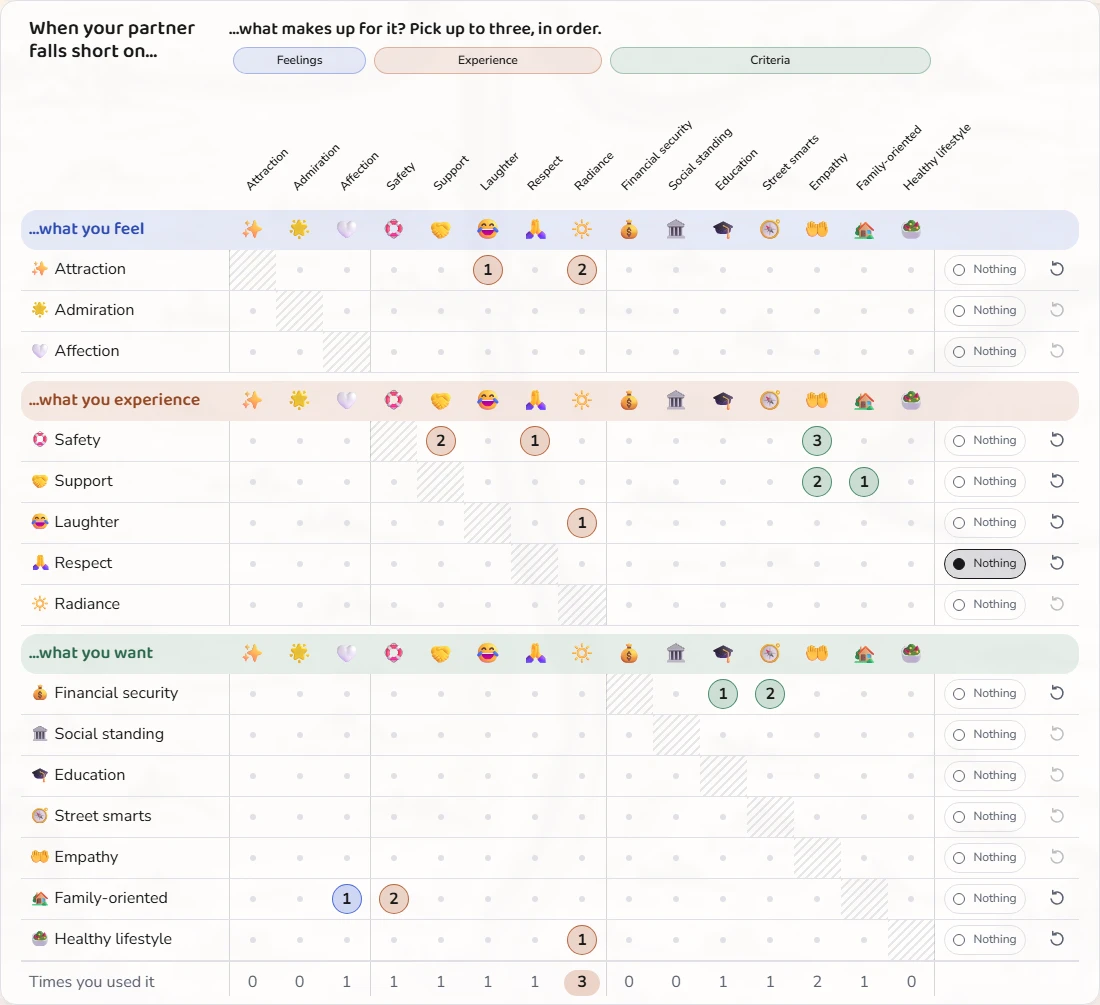
Take the 15 qualities one at a time. For each one, pick up to three other qualities that would make up for it, in order: your first pick counts most. Tap a picked quality again to take it off, or choose Clear to empty the row.
When nothing makes up for it
If no other quality could make up for a gap, choose "Nothing makes up for it". That row is your floor: a quality you won't trade.
The list and the matrix
On a computer, the rows form one grid, grouped by what you feel, what you experience and what you want, with "Times you used it" at the bottom. On a phone, switch between the List, which opens one row at a time, and the Matrix, which shows all your answers on one screen.
What everyone chose
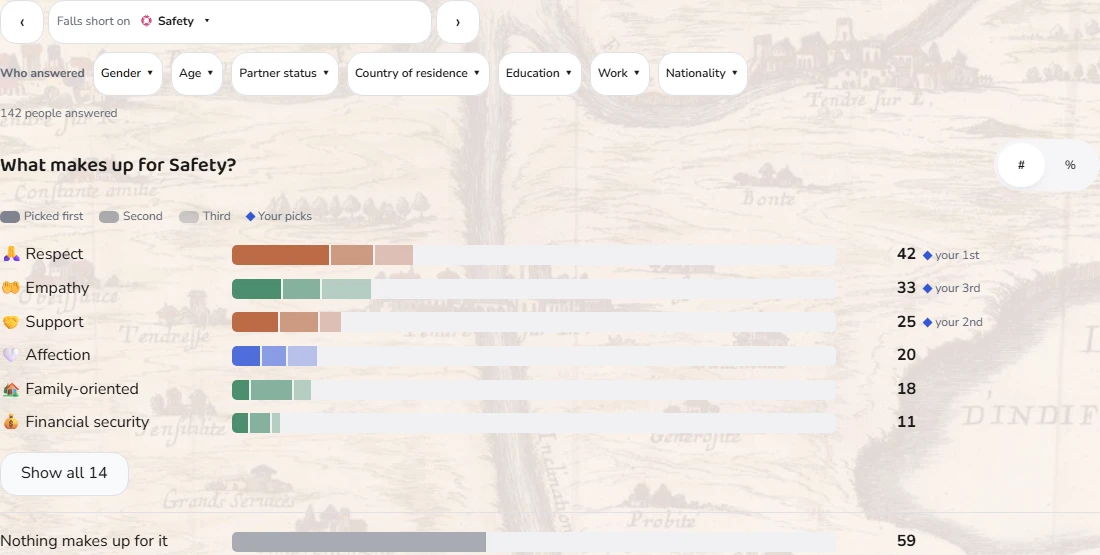
The Everyone tab shows what other people picked to make up for a quality, or across all of them: bars split into first, second and third picks, with your own picks marked. You see a quality's figures once you have answered its row and ten people have answered it. Filter by who answered, and switch between counts and percentages.
Sharing a picture
At the bottom of the page, Share makes a picture of your trade-offs, or of what everyone chose for the quality the Everyone tab shows, once you can see its figures. Tick one or both. The pictures are made on your device and carry no link.
Saving and privacy
Every tap is saved as you go, and the line beside the title says when it is saved. You don't need an account. Nobody sees your rows: other people only see them counted in the Everyone figures, without your name.